
Run a portfolio that no longer lives only in your head.
Occupancy, rent, maintenance, and the paperwork that keeps you compliant — read once, then kept connected in one workspace, so the state of the portfolio is something you read at a glance instead of chase down unit by unit.
Clarity you can hand to someone else.
One hub covers the four things that keep a rental operation legible. You walk away able to see it, staff it, and step back from it.
Numbers you trust
Rent expected against rent received, per unit per month, with repair and turnover cost recorded where it happened. The portfolio’s cash position rolls up automatically — so the money picture is something you read, not reconstruct from a bank statement at month-end.
BookkeepingA portfolio your team can read
Every unit shows its status and lease. Every maintenance request shows its vendor and stage. What’s vacant, what’s overdue, what’s waiting on a repair — surfaced in shared views a partner or property manager can open without routing through you.
Operational transparencyKnowledge that stays when people leave
Leases, inspection notes, vendor history, and the documented version of how each property is handled live attached to the unit they belong to. The things currently in your head begin compounding as structured, searchable information your next hire can actually use.
Knowledge managementA foundation built for AI
AI tools can only help you when your data is structured and relational — not buried in text threads and a shoebox of receipts. Rental Ops HQ is that foundation. The system gets more capable with every unit, lease, and repair you put into it.
AI buildingA portfolio only you can read can’t be grown, staffed, or stepped away from.
Every quarter it runs on your memory, the same tax compounds. A lease lapses to month-to-month because the renewal date lived in your head. A repair gets approved by text and never gets logged against the unit, so the real cost of that property stays foggy. An insurance certificate expires and you find out from the carrier. A good unit sits vacant a month longer than it should because the turnover checklist lives in one person’s routine. Each one is structural — what happens when a real operation runs without a real system — and each quietly charges against the returns and the buildings that took years to assemble.
Get Rental Ops HQ — $99The home view of your portfolio.
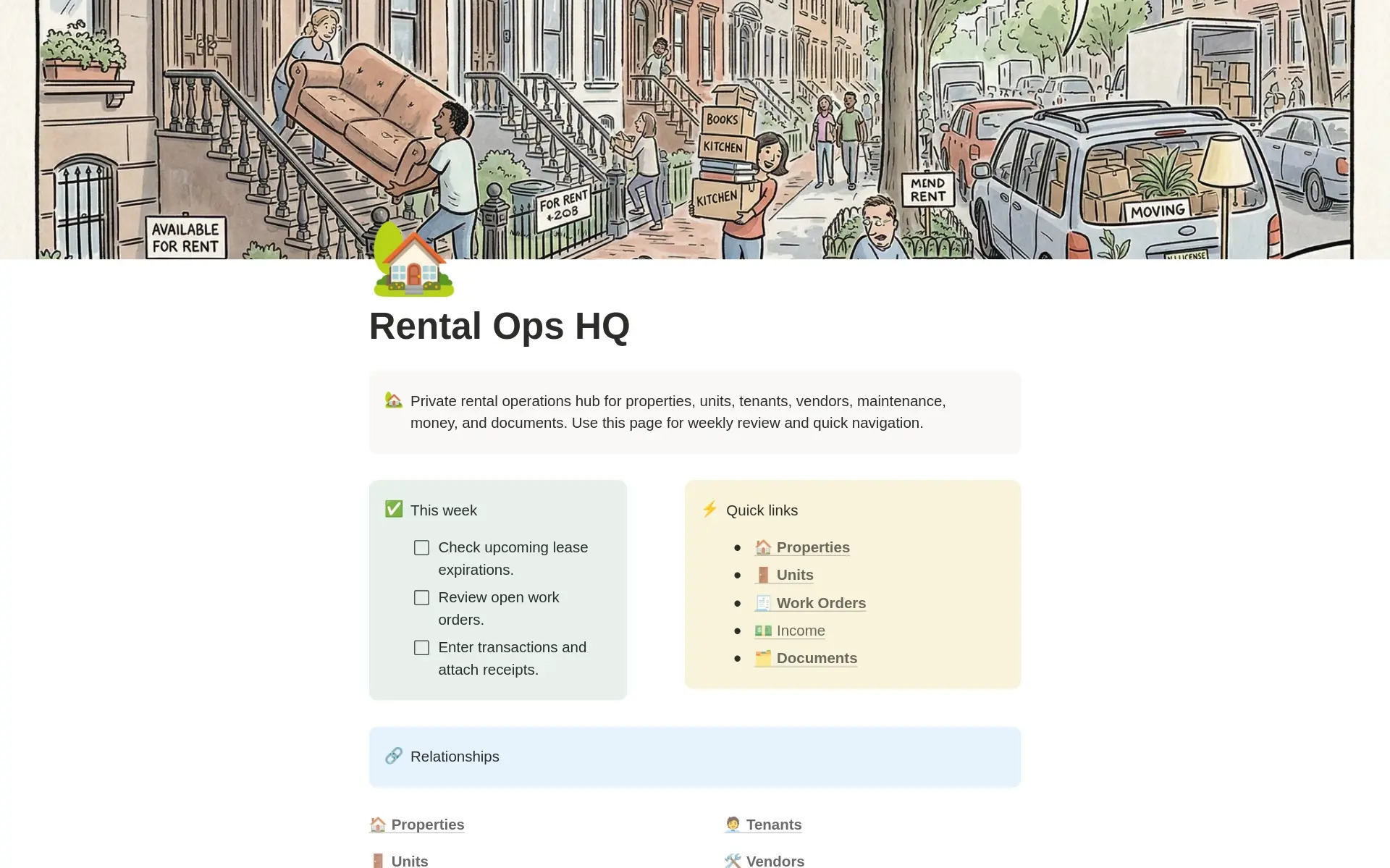
Four areas. Ten connected databases.
Every record lives once, inside a connected “databasement.” Each area below holds the databases that run that part of the operation, and the relations between them update on their own — so a new lease reaches Rent, Maintenance, and the compliance view at the same time.
Relationships
Who and what the operation is built on — properties, the people inside them, and the trades who keep them running.
Operations
The day-to-day work — leases and the maintenance pipeline they generate.
Money
Rent received against rent owed, and the bills going the other direction.
Knowledge
The reference layer — the contacts and documents the operation reaches for.
All four areas share the same connected databasement, so an edit in one place — a new lease, a vendor change — reflects everywhere the unit appears.
The read comes first. The build follows the diagnosis.
A system installed over an unread operation just adds another place to look. Rental Ops HQ was built from reading how self-managed portfolios actually run — so the structure answers the problems the read names.
Diagnosis before architecture
The sections, connections, and roll-ups were shaped by following real self-managed portfolios end to end — reading where the margin leaked, where renewals slipped, and where every decision piled onto one phone. The architecture answers what the read found, so you build the right thing first.
One hub for the whole portfolio
Properties and units, tenants and leases, rent, maintenance and turnovers, vendors, and the compliance paperwork — held in one connected workspace where a unit carries its lease, the lease carries its rent schedule, and a repair attaches to the vendor who handled it. Everyone opens the same hub and sees the right view for their role.
Built to outlast you
The template ships with the structure a self-managed portfolio actually uses — a proven starting point. You might run five doors or fifty, long-term or short-term or a mix. Every database, status, and view is yours to retool, and the structure keeps fitting as the portfolio grows.
What Notion is — and why this lives there.
You don’t need to know Notion before you start. Here’s what matters: it’s a workspace tool where the same information can look like a table, a board, a calendar, or a dashboard depending on who’s looking. One workspace, the right view for every job.
Picture a document that also behaves like a relational database. You open the rent view on the first. Your handyman opens the open work orders. A partner opens the portfolio dashboard. Same data, no double-entry, no one working from a different version.
Notion is flexible enough to hold units, leases, rent, maintenance, vendors, and documents in one workspace — without a per-door software subscription. Nothing else wires a unit to its lease, its rent schedule, its repairs, and its paperwork in one connected place.
Gentler than the property-management software you’ve already abandoned once. Notion works like documents and tables you already know. The setup guide walks you through the first week. Most operators are running confidently within days of duplicating the template.
AI tools can read and act on structured, relational databases in ways they can’t touch a text thread or a folder of PDFs. Every lease, repair, and vendor note you add becomes queryable — building infrastructure that compounds, rather than getting organized once and forgotten.
A hub built from reading the operation, not guessing at it.
The structure came from sitting with self-managed portfolios and following the work — the rent cycle, the repair, the renewal — end to end. Here is what that produced.
Units connect to leases, leases to rent
A unit carries its current lease, and the lease carries its rent schedule and renewal date. Open a unit and the whole story is there — who’s in it, on what terms, paid through when.
Maintenance attaches where it happens
A request attaches to the unit and the vendor, moves through to done, and records its cost against the property. The real operating cost of each building stops being a guess.
Compliance surfaces by deadline
Leases, inspections, insurance, and registrations carry their renewal dates, so the paperwork layer reports itself before anything lapses instead of after.

The whole portfolio on one screen. From $99.
I’m Jacob Sager. I build operating systems for owner-led businesses on Notion. Rental Ops HQ is the self-install version of what I build for self-managing operators — the same structure, ready to duplicate and run.
Get Rental Ops HQ — $99Start where you are. Move up when you’re ready.
Run it yourself, have it read and tuned to your portfolio, or have the whole thing built and diagnosed with you.
- All six connected sections
- Rent, maintenance, and compliance views prebuilt
- Setup guide for your first week
- Free updates to the template
- Everything in The Template
- Installed and set up with your properties
- Business Nervous System read of the operation
- Primary constraint named, with what to do about it
- Working session to walk it through
- Everything in Guided Start
- Records brought current and loaded
- Full Foundation report, three structural moves documented
- Compliance calendar built out
- Ongoing support available after
Run a real month through it first.
If The Template isn’t earning its place within 30 days, email us and we’ll refund it. Run a full rent cycle and a real repair through the hub before you decide.
Three steps to a portfolio that reports its own state.
Duplicate it in
One click brings all six sections, every connected database, and every view into your Notion account with structure intact. A free Notion plan works fine.
Load units and leases first
Clear the sample records and enter your properties, then current tenants and lease dates — everything else attaches to those. Most portfolios are on real data inside a day.
Run from it
Open Rent on the first. Log maintenance the day the text arrives. Check Compliance quarterly and let the renewal dates surface themselves. The hub does the remembering.
Most self-managed portfolios don’t fail on the buildings. They stall on the owner — the one phone every approval, renewal, and repair has to pass through.
The portfolio grew because you were good at the work — finding the deal, fixing the unit, keeping a good tenant. For a while, holding it all in your head was the cheapest way to run. Then the doors added up, and the thing that made it work early became the thing holding it back.
Rental Ops HQ exists to take the operation out of your memory and put it somewhere it can be read, staffed, and handed off. Not a heavier process — a clearer one. The structure carries the parts that don’t need you, so your attention goes to the parts that do.
Or get it for free.
Rental Ops HQ is also on the Notion Marketplace, free to duplicate. No support, no setup help — just the template.
Get it on Notion Marketplace →Run a portfolio you can actually read.
Get the hub and duplicate it today.
Get Rental Ops HQ — $9930-day money-back guarantee on The Template.
Want to talk it through first?
Walk the workspace with the person who built it. Bring your questions to Jacob and get a straight read on whether Rental Ops HQ fits your portfolio.
Ask Jacob →