A Notion workspace for Jewish community organizations
Run your whole community from one calm desk.
Shalom Desk gathers your families, gifts, events, classes, and messages into a single connected Notion workspace, so the details stay in order while your energy goes to people.
One-time purchase · works in your own Notion · built on about 25 connected databases.
The Goldberg Household
- Members
- Dana, Ari, + 2 children
- Membership
- Active
- Pledge
- $360 · linked
- Religious school
- 2 enrolled
- High Holidays
- 4 seats held
What changes on day one
The whole office finally points at the same record.
Each area writes back to one shared set of databases, so a single search answers the question that used to take four browser tabs.
Every family in one place
Households, individuals, and membership status sit together, turning a frantic spreadsheet hunt into a two-second lookup.
Giving that adds itself up
Donations, pledges, and recurring gifts connect back to the people behind them, and the totals you report stay current on their own.
Programs your team can read
Events, registrations, and attendance roll into one calendar, giving every staff member and lay leader the same clear view.
Inside the workspace
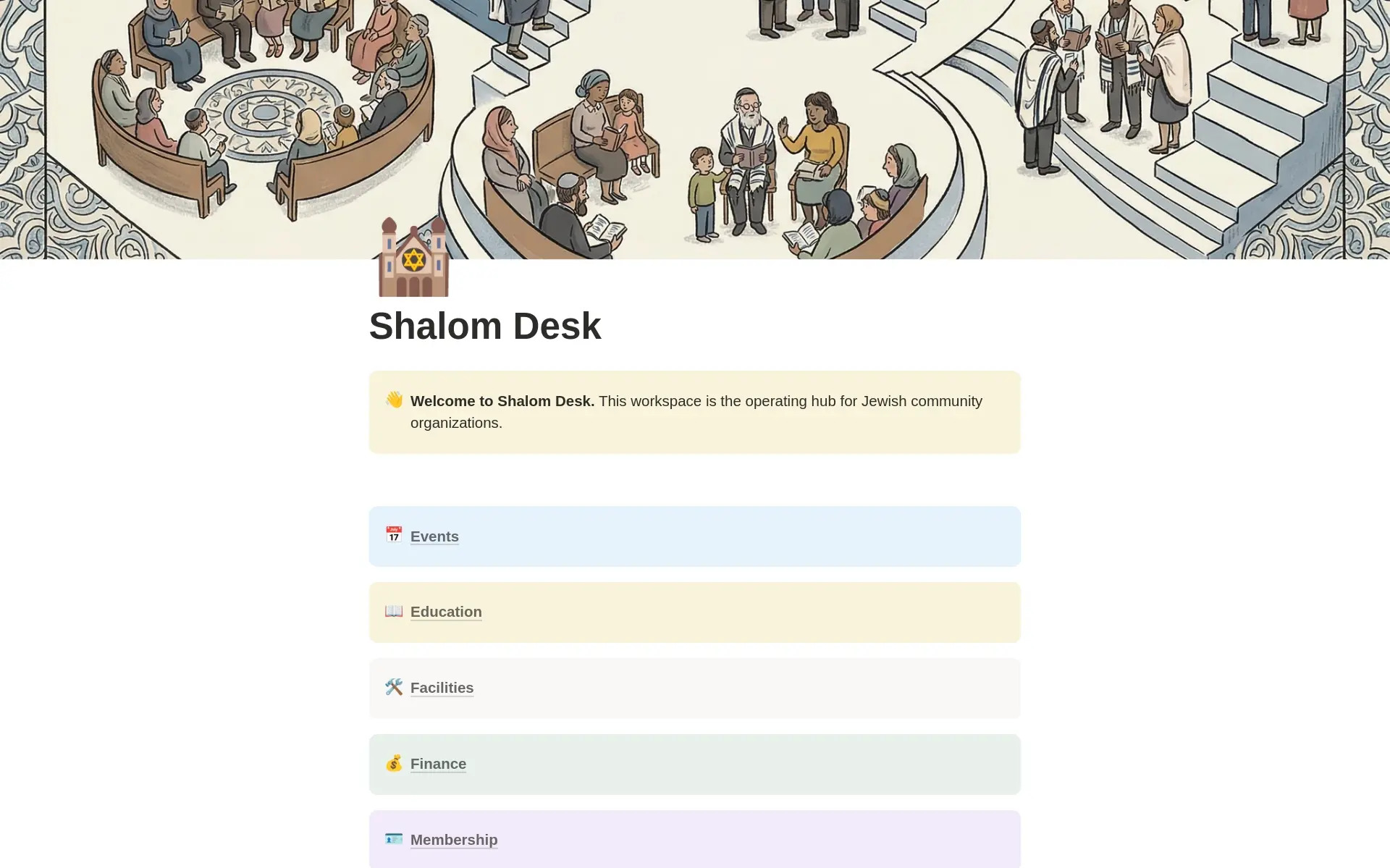
The home view of your community.
First, what is Notion?
Notion is the one workspace your whole team can actually run.
Notion is a flexible app where documents, databases, and dashboards live side by side, used by millions of teams to keep their work in a single place. Shalom Desk is built natively inside it, so the whole system opens in a browser tab your staff already know how to use.
Gentle on a nonprofit budget
One affordable plan covers a small office, and registered 501(c)(3) organizations can apply for 50% off through Notion’s nonprofit program, verified by TechSoup.
Most synagogues and JCCs qualify.
Easy for everyone
Anyone comfortable with a document and a table can work here, from the office manager to a volunteer covering the front desk on a Sunday morning.
Access by area
Share the directory with clergy, the books with your treasurer, and the calendar with the whole board, each person seeing only what they need.
Yours to change
Add a field, rename an area, or build a new view whenever your community shifts, with no developer and no migration project.
The quiet cost
Scattered information becomes a hidden tax on the office.
A new family’s details land in an inbox, their pledge in a spreadsheet, their kids’ enrollment on a clipboard, and their seats in someone’s memory. When any one of those people steps away, the thread leaves with them.
- Programs improvised at the last minute because nobody could find last year’s plan.
- Weeks before the High Holidays lost to reconciling four overlapping lists.
- Institutional knowledge that lives in one head and walks out the door at a resignation.
The full workspace
Eight areas, sitting on one shared set of databases.
Every record lives once, inside a shared “databasement” of about twenty-five linked databases. Each area below is a dashboard that pulls live views from it, so updating a family under Membership carries through to Finance, Education, and everywhere else that family appears.
Membership
Households, members, and the pastoral thread that connects them.
Finance
Giving, billing, and the money that keeps the lights on.
Events
Programs, registrations, and a record of who showed up.
Education
Students, classes, and religious-school attendance.
Communications
Every message, campaign, and audience in one log.
Worship & Services
The service calendar, Shabbatot, and the festival year.
Personnel
Staff, volunteers, roles, and who is covering what.
Facilities & Ops
Spaces, vendors, and the building itself.
A handful of databases, like Segments, are shared across areas — which is exactly how one edit reaches every place it matters.
Why this workspace
Modeled on how a Jewish organization actually runs.
Plenty of generic CRMs can store a contact. Few of them already understand aliyot, tuition, pastoral visits, and a Shabbat honor roster.
Shaped around shul work
Pastoral cases, Shabbatot, holidays, and tuition each arrive with a home already built, because the design came from a real community’s week.
Connected end to end
One shared databasement means a gift and an event RSVP can both point back to the same family, with nothing re-typed across tools.
Open for you to shape
A clear databasement-to-dashboards pattern keeps the whole system legible, so any staff member can read it and extend it later.
The hands behind it
You came to serve people. The spreadsheets came later.
Somewhere between the first membership list and the fifth sign-up form, the back office started running on memory and good will. That is exactly the moment this was made for.
Shalom Desk was built by Jacob Sager of Brand New Colors, who sat with a working community, read the shape of its days, and encoded what was already there. The result holds eight connected areas — Membership, Finance, Events, Education, Communications, Worship & Services, Personnel, and Facilities — running on roughly twenty-five linked databases.
Should your community run close to that shape, you can make this your own in an afternoon. When the fit wants a sharper read, a short conversation can tailor it to your real workflows and the connections that currently live only in your head.
Three ways to start
Own the template, or bring in hands to set it up.
Buy the workspace outright and run with it, or move up the ladder for a guided setup and a build shaped to your community.
Shalom Desk
The complete workspace, exactly as you see it, ready to duplicate into your Notion.
- All eight areas, live and connected
- Every database in the workspace (~25)
- Demo data plus a one-click AI clear-out
- The Getting-Started walkthrough
- Future updates to the template
Guided Start
We get it loaded with your community and your team comfortable using it.
- Everything in the template
- 60-minute kickoff call walking your workspace
- Two async check-ins over two weeks (email or Loom)
- Help loading your first real families and gifts
- Email support continues for 90 days
Fitted Workspace
Reshaped to your community. Two weeks, capped.
- Everything in Guided Start
- 45-minute discovery call to read your community
- Workspace reshaped — renamed sections, custom properties, new databases where the shape doesn’t fit
- A short workspace brief: what each section is for and how to use it
- 60-minute handover call
Run one real area within 30 days, or pay nothing.
Stand up your member directory or your giving log inside a month. Should Shalom Desk fail to give you one calmer place to work from, write in for a full refund on the template.
How it goes
Three steps from purchase to a working desk.
Get your copy
Buy once, then duplicate Shalom Desk straight into your own Notion workspace with a single click.
Clear the demo, add your people
Ask Notion AI to sweep out the sample rows, then drop in your first real families, gifts, or events.
Run everything from one place
Open any dashboard and work. Every edit you make flows back to the source database on its own.
The short version
From a drawer full of systems to a single desk.
Most Jewish organizations grow their tools one emergency at a time: a membership spreadsheet here, a donations tracker there, a sign-up form for each program, and a calendar only one person can edit. The office ends up running on memory and good will, which holds right up until the day it doesn’t.
Shalom Desk gathers those loose threads into one workspace modeled on a real community’s week. You duplicate it, clear the demo rows, and begin entering the families and gifts you already have on hand. Within the first month most people get one area fully live, usually the directory or the giving log, and feel the difference the next time a board member asks where something stands.
Wait another season and more of how your organization works keeps settling into inboxes and individual memory. A connected desk keeps that knowledge inside the building, ready for whoever sits down next — the new hire, the incoming president, the volunteer covering a holiday.
Or get it free
Shalom Desk is also on the Notion Marketplace.
Free to duplicate. No support, no setup help — just the template. A way to walk through the structure on your own before paying for the full version.
Get it on Notion Marketplace →Your next season
Give your community one calm place to run.
The work of gathering everything into one home gets a little easier the sooner you begin. Today is a good day to start.
One-time purchase · 30-day guarantee · works in your own Notion.
Want to talk it through first?
Walk the workspace with the person who built it.
Bring your spreadsheets and your questions to a short call with Jacob. You will see Shalom Desk running on real community data and get an honest read on how closely it fits your organization before you decide.
Ask Jacob