Run a shop that no longer lives only in your head.
Your books, your floor, your knowledge, and the logic that ties them together — read once, then kept clear, so the shop stays legible whether or not you’re standing in the middle of it.
Clarity you can hand to someone else.
One system covers the four things that keep a shop legible. You walk away able to see it, staff it, and step back from it.
Numbers you trust
Invoices, expenses, and change orders link directly to the job they belong to. Labor and materials roll up automatically, and the system computes total job cost, profit, and margin — so the cash picture is something you read, not reconstruct.
BookkeepingA floor your team can read
Every job shows its stage. Every work order shows its station, status, and lead. Open invoices, machines needing attention, hours logged today — surfaced in a shared view anyone can open without routing through you.
Operational transparencyKnowledge that stays when people leave
Spec sheets, shop drawings, crew certifications, and site survey notes live attached to the jobs they describe. The things currently in your foreman’s head begin compounding as structured, searchable information instead.
Knowledge managementA foundation built for AI
AI tools can only help you when your data is structured and relational — not locked in a whiteboard photo or a group text. Wood Business OS is that foundation. The system gets more capable with every record you put into it.
AI buildingA shop only you can read can’t be grown, staffed, or stepped away from.
Every quarter it runs on your memory, the same tax compounds: a change order gets built and never invoiced because approval lived in a text thread nobody went back to read. A job finishes at 22% margin when it was bid at 34% — nobody caught the labor overrun until the tally. A good hire leaves inside six months because the work was never written down. A GC calls for a status update and you have to say “let me find out.” These aren’t bad-luck events. They’re what happens structurally when a real business runs without a real system, and each one is a direct charge against the money and reputation that took years to build.
Get Wood Business OS — $99The home view of your shop.
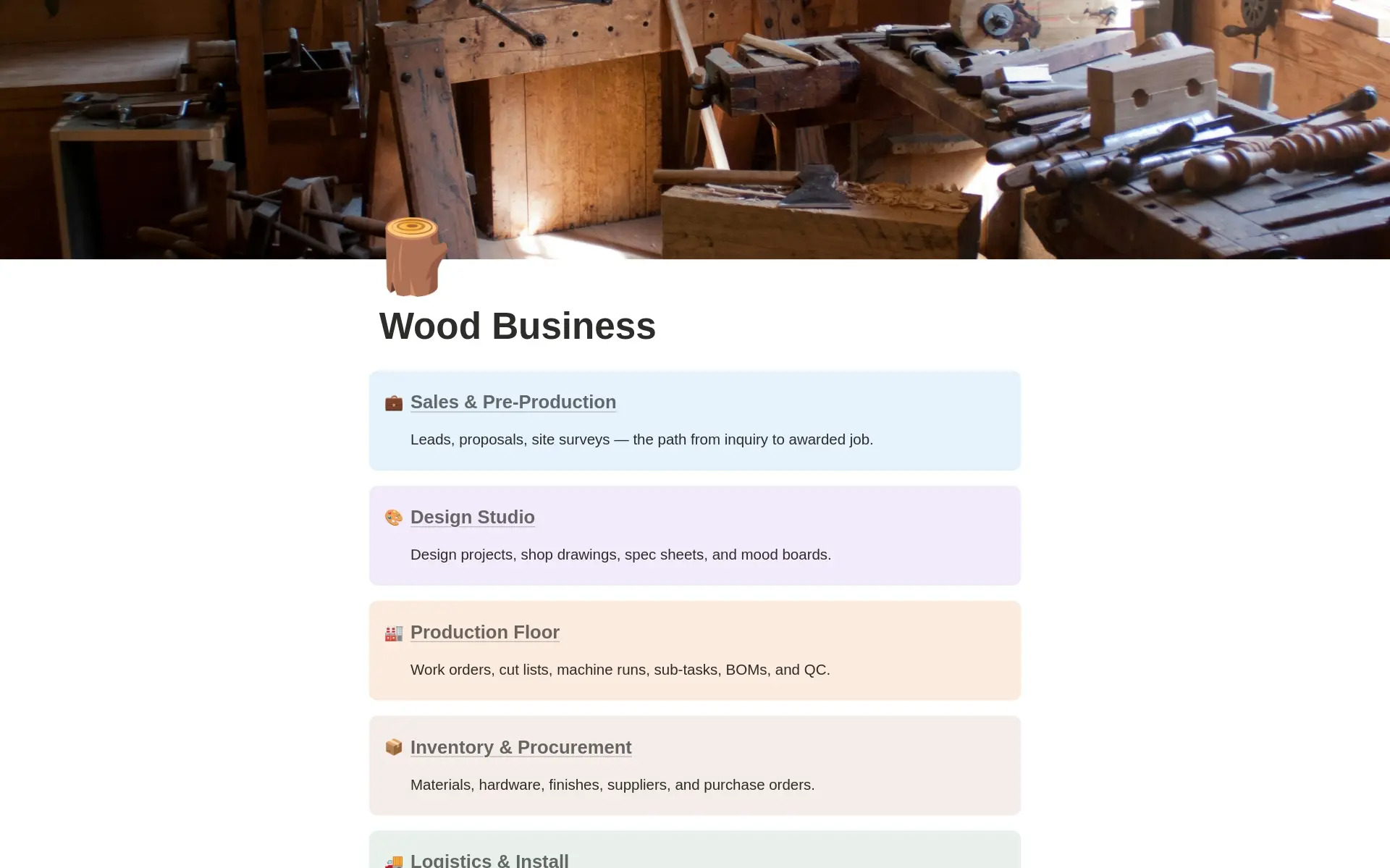
Eight departments. One shared databasement.
Every record lives once, inside a connected “databasement.” Each department below is a dashboard that pulls live views from it, so a status change on the floor reflects in Finance, Logistics, and everywhere else the job appears.
Sales & Pre-Production
Leads, proposals, site surveys — the path from inquiry to awarded job.
Design Studio
Design projects, shop drawings, spec sheets, and mood boards.
Production Floor
Work orders, cut lists, machine runs, sub-tasks, BOMs, and QC.
Inventory & Procurement
Materials, hardware, finishes, suppliers, and purchase orders.
Logistics & Install
Crates, deliveries, installations, and the punch list.
People & HR
Personnel, roles, certifications, time off, and tool checkout.
Finance
Invoices, expenses, change orders, and job-level P&L.
Operations Dashboard
Cross-functional KPIs and the shop’s pulse.
All eight departments share the same connected databasement, so an edit anywhere reaches every place the job appears.
The read comes first. The build follows the diagnosis.
A system installed over an unread shop just adds noise. Wood Business OS was built from watching a real shop floor — so the structure answers the problems the read named.
Diagnosis before architecture
The job stages, station workflow, and finance formulas were built by sitting with an actual custom wood business and following a job end to end — reading where the margin bled and where the knowledge got trapped. The architecture answers what the read found, so you’re building the right thing.
One system for eight departments
Sales, design, the floor, finance, inventory, logistics, people, and a cross-shop dashboard — all held in one connected workspace where the relations between them update automatically. The foreman, the bookkeeper, and the owner each open the same system and see the right view for their role.
Built to outlast you
The template ships with the stages and station types a custom millwork shop actually uses — a proven starting structure. Your shop might run four stations or fourteen. Every database, stage name, and status is yours to retool. The structure holds whatever your floor looks like, and keeps fitting as it grows.
What Notion is — and why this lives there.
You don’t need to know Notion before you buy. Here’s what matters: it’s a workspace tool where the same information can look like a table, a board, a calendar, or a dashboard depending on who’s looking. One workspace. The right view for every role.
Imagine a document that also behaves like a relational database. Your bookkeeper opens a table of invoices. Your foreman opens a board of work orders by station. You open the operations view. Same data, no double-entry, no one working from a different version.
Notion is the only tool flexible enough to hold eight departments, live financial formulas, and a growing knowledge layer in one workspace — without a per-seat software subscription or an IT setup. Nothing else can wire a client record to its proposals, jobs, invoices, and shop drawings in one connected place.
Gentler than any ERP or trade software you’ve looked at. Notion works like documents and tables your team already knows. The setup guide walks you through the first job end to end. Most shops are using it confidently within a week of duplicating the template.
AI tools can read and act on structured, relational databases in ways they can’t touch a whiteboard photo. Every spec sheet, procedure, and supplier contact you add into the system becomes queryable by AI — building infrastructure that compounds, rather than getting organized once and forgetting it.
You’ve been holding the whole shop together. That’s the problem to solve.
The part nobody tells you
Being the person who knows everything feels like control. It’s actually the ceiling. The shop can only move as fast as your attention, and your attention is finite. Every new client and hire stacks more onto that — until the ceiling on growth turns out to be you, and stepping away for a week quietly costs the business its momentum.
Why this lives in Notion, in plain terms
Notion is a workspace tool — not an app you buy to solve one problem, but a flexible environment where you build the structure that fits your actual business. Wood Business OS gives you that structure pre-built from a real shop, so you duplicate it once and start loading your real work the same day. No software license per crew member. No IT setup. Works on any device from any location.
Who made it, and why
Brand New Colors is Jacob Sager’s operating practice — built on a close reading of how owner-led businesses actually break, not at the work, but at everything surrounding the work. Wood Business OS came from sitting on a real shop floor, following a job saw to site, and encoding what was genuinely there. The conviction is that the structure should outlive the builder.
The Template starts at $99. The rungs above add Jacob.
Every rung includes the complete Wood Business OS template — all eight departments, live job costing, the whole thing. What changes as you climb is the depth of human work done on your specific shop. Each rung credits in full toward the next if you go on.
- Sales pipeline: leads, proposals, site surveys, clients
- Design studio: projects, mood boards, spec sheets, shop drawings
- Production floor: work orders by station, sub-tasks, QC, BOM
- Finance: invoices, expenses, change orders → live job P&L formulas
- Inventory & procurement: materials, hardware, finishes, POs
- Logistics & install: crates, deliveries, punch list, site sign-off
- People & HR: crew, roles, certifications, time off, tools out
- Ops dashboard: active jobs, machines, service tickets, today’s hours
- First-job walkthrough guide + BOM starter structure
- Full Wood Business OS (all eight departments)
- 90-minute shop discovery session — workflows, bottlenecks, floor vocabulary
- Written Shop Health Report — all five operational dimensions scored
- Primary constraint named in one sentence
- Template pre-configured to your scope types, stage names, and station vocabulary
- One team orientation session (up to 90 minutes)
- 30-day check-in call
- Everything in Guided Start
- Books brought current to the month
- Knowledge layer built — your SOPs, pricing logic, material specs, key supplier contacts seeded into the system
- Two recurring workflows automated (e.g., stage change → task creation; hours variance → overrun alert)
- Up to three team handoff sessions
- 90-day operating support window with monthly check-in calls
- Year-one operating and compliance calendar
The job-through-it guarantee — on The Template
Run your next job from awarded to installed inside Wood Business OS. If by day 30 you can’t see every job’s stage, margin, and outstanding balance on one screen — write in for a full refund. Keep the first-job walkthrough and the BOM starter structure either way. Higher rungs are scoped and quoted before any commitment, so the work is right-sized before it starts.
Three steps to a shop you can read.
Duplicate into Notion
Purchase once and the entire operating system lands in your Notion workspace with one click. If you don’t have a Notion account yet, creating one is free. All eight departments arrive connected and ready.
Load the first real job
Follow the first-job walkthrough to add a live job, your crew, and a material list. Run it all the way through — awarded to installed — so you feel the connections working before you depend on them.
Run the shop without you in the middle
Open Wood Business OS each morning and see the whole picture: what’s on the floor, what’s earning, what ships this week, which client needs a call. The shop stays legible whether or not you’re standing in it.
You built a shop that works — but it works because you’re the one holding every thread. Wood Business OS reads how the shop actually runs, names the structural problem underneath the scramble, and puts the whole operation into a single workspace your team can open without asking you first. So growth stops meaning more of your attention.
Most custom wood shops don’t break at the craft. The work is usually the strong part. They break at everything around it: books too far behind to decide from, knowledge that lives in one person’s memory, jobs that finish thinner than they were bid because nobody caught the hours variance until the final tally, and a floor that only moves when the owner is standing in the middle of it.
Wood Business OS was built by reading a real shop the same way a clinician reads a body — watching how work senses (does anyone know the margin on today’s jobs?), signals (can the crew see what’s happening without asking?), processes (does work move cleanly through the floor?), decides (does pricing always route back to you?), and regulates (does anyone catch a job going over while there’s still time?). The system answers those five questions directly: live costing, a readable floor board, knowledge attached to every job, and a structure that compounds in value every week you use it.
Or get it for free.
Wood Business OS is also on the Notion Marketplace, free to duplicate. No support, no setup help — just the template.
Get it on Notion Marketplace →See the whole shop clearly.
The next decision — a hire, a new scope, a day off — gets easier the moment the shop is legible. Wood Business OS is where that starts.
Get Wood Business OS — $99The Template from $99 · Lifetime updates · Runs in Notion (free to start) · 30-day guarantee on The Template
Want to talk it through first?
Walk the workspace with the person who built it. Bring your questions to Jacob and get a straight read on whether Wood Business OS fits your shop.
Ask Jacob →